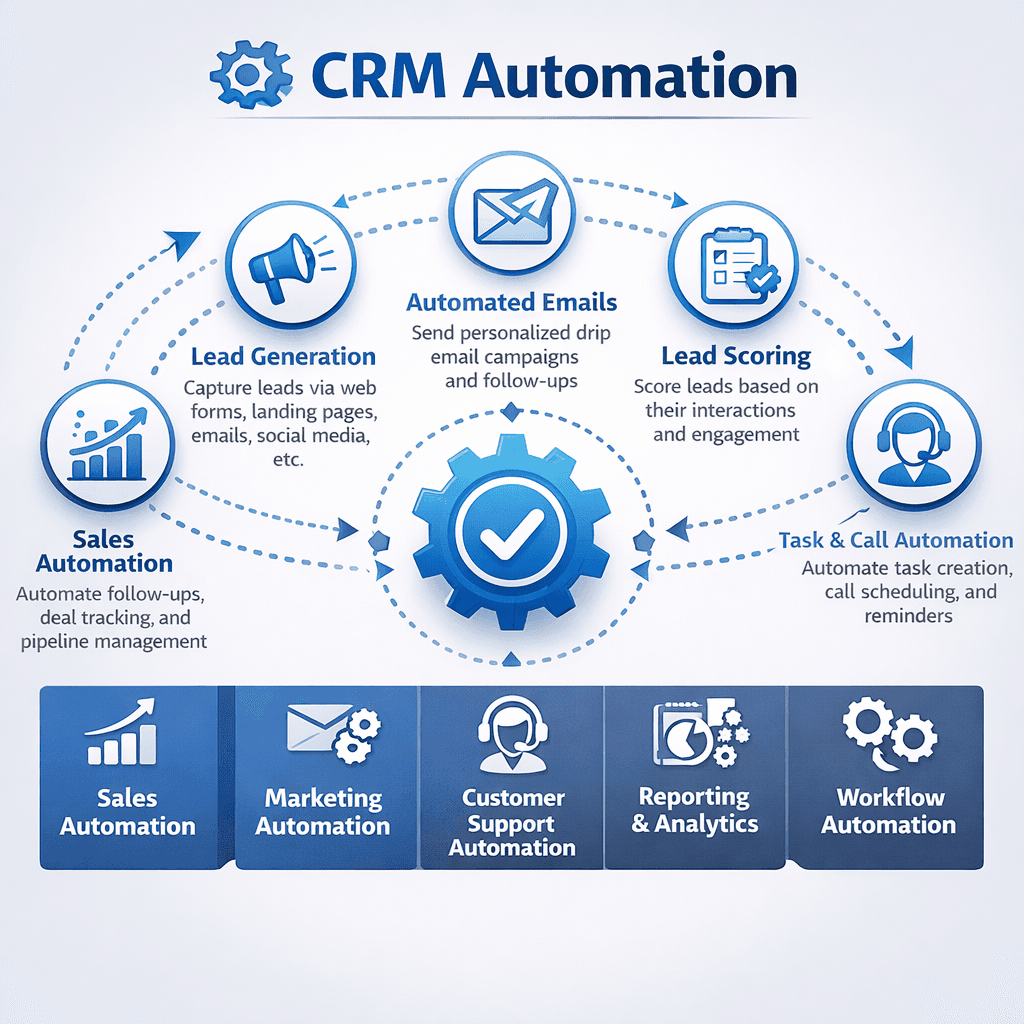
Introduction: The Power of CRM Automation
Manual data entry, scattered follow‑ups, and inconsistent lead nurturing cost your team hours every week—and worse, they let opportunities slip through the cracks. CRM automation transforms this chaos into a streamlined, self‑running engine. By automating sales workflows, email campaigns, and lead scoring, you can ensure no lead is forgotten, every deal moves forward, and your team focuses on what matters most: building relationships and closing revenue. In this guide, we’ll explore three core automation pillars that turn a CRM from a simple database into your business’s growth accelerator.
1. Automating Sales Workflows: From Lead to Closed Deal
Sales workflows are sequences of actions triggered by specific events. Automating them eliminates repetitive tasks, enforces consistency, and accelerates deal velocity.
Lead assignment – Automatically route new leads to the right sales rep based on territory, product interest, or round‑robin distribution. Task creation – When a deal moves to “Demo Scheduled,” auto‑create a task for the sales engineer to prepare. Follow‑up reminders – If a lead hasn’t been contacted in 3 days, send an alert to the owner or escalate to a manager. Deal stage transitions – Require certain fields (e.g., “Contract value”) before a deal can move to “Closed Won.” Proposal generation – Auto‑populate quotes from product catalogs when a deal reaches “Proposal” stage. Win/loss logging – After closing, prompt the rep to select a reason for win or loss for future analysis.
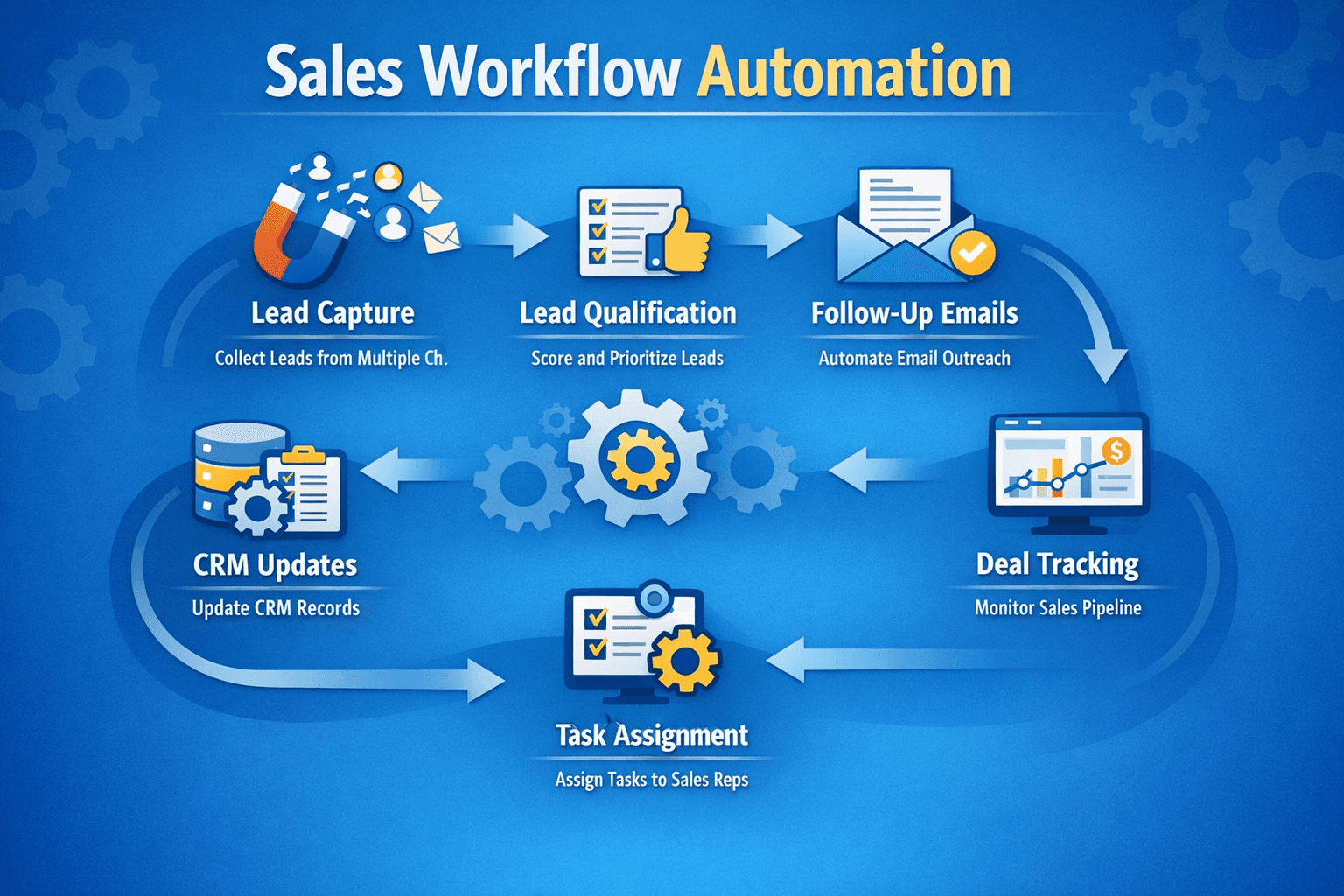
Real‑world impact: A B2B SaaS company automated their lead‑to‑meeting workflow. Previously, leads sat unassigned for an average of 6 hours. After implementing automated assignment and a 5‑minute follow‑up email, their lead response time dropped to under 2 minutes, and conversion from lead to qualified meeting increased by 34%.
2. Email Automation Strategies: Nurture at Scale
Email automation (sometimes called drip marketing) sends targeted emails based on triggers, behaviors, or time intervals. Done right, it builds relationships, educates prospects, and drives conversions without manual effort.
| Strategy | Trigger | Goal | Example |
|---|---|---|---|
| Welcome series | Contact added to CRM | Onboard new leads, set expectations | 3‑email sequence: intro, value prop, next step |
| Abandoned cart | Cart not completed | Recover lost sales | First email in 1 hour, second in 24h with discount |
| Re‑engagement | No activity for 60+ days | Win back cold leads | “We miss you” email with case study or offer |
| Post‑purchase | Order completed | Encourage reviews, cross‑sell | Feedback request + related products |
| Educational drip | Lead source = whitepaper download | Nurture to MQL | Weekly tips over 4 weeks, then sales offer |
Best practices for email automation:
- ✓Segment first – Target emails based on industry, behavior, or lifecycle stage. Generic blasts kill engagement.
- ✓Personalize beyond {first_name} – Use company name, product interest, or past interactions to craft relevant content.
- ✓A/B test – Test subject lines, send times, and CTAs to continually improve open and click rates.
- ✓Monitor deliverability – Keep lists clean; remove unsubscribes and hard bounces automatically.
- ✓Align with sales – When a lead reaches a certain engagement score, alert a sales rep to take over.
Pro tip: Combine email automation with CRM analytics. Track which emails lead to deal creation and measure revenue attributed to each automated campaign. This lets you double down on what works.
3. Lead Scoring Automation: Focus on What Matters
Lead scoring assigns numerical values to leads based on demographic fit and behavioral engagement. Automating this ensures your sales team prioritizes the hottest prospects, increasing efficiency and conversion rates.
Demographic scoring – Attributes like job title, company size, industry. Example: C‑level = +30 points; SMB = +10 points. Behavioral scoring – Actions like email opens, website visits, form submissions, pricing page views. Example: viewed pricing page = +20 points; attended webinar = +15 points. Negative scoring – Reduce points for actions like unsubscribing or visiting competitor pages. Thresholds & actions – Set a score threshold (e.g., 80 points) to automatically:
- ✓Notify sales rep via Slack or email.
- ✓Move lead to a high‑priority queue.
- ✓Enroll in a more aggressive nurture sequence.
| Action | Score | Automated Response |
|---|---|---|
| Job title: Director or above | +25 | Flag as VIP lead |
| Visited pricing page | +30 | Notify sales rep within 1 hour |
| Opened 3+ emails last week | +10 | Add to high‑touch nurture |
| Unsubscribed from email | -50 | Remove from all campaigns |
| Downloaded competitor white paper | -15 | Send case study to reinforce value |
Real‑world impact: A B2B tech company implemented lead scoring automation. Previously, reps spent 40% of their time chasing cold leads. After scoring, they focused only on leads above 70 points, resulting in a 22% higher close rate and a 35% reduction in sales cycle length.
How to Start with CRM Automation: A Step‑by‑Step Plan
1. Identify repetitive tasks – Map out what your sales and marketing teams do daily (data entry, follow‑ups, lead routing). Pick 2–3 high‑impact tasks to automate first. 2. Define triggers and actions – For each automation, clearly specify what event starts it and what actions should follow. 3. Start simple – Implement one workflow at a time, test thoroughly, and gather feedback before scaling. 4. Use native automation tools – Most CRMs (HubSpot, Salesforce, Zoho) offer built‑in workflow builders. Start with visual, no‑code tools. 5. Monitor and optimize – Review automation performance monthly. Are leads converting faster? Are emails getting replies? Tweak rules and scoring based on data.
Conclusion: Work Smarter, Not Harder
CRM automation isn’t about replacing your team—it’s about amplifying their efforts. By automating sales workflows, you ensure consistency and speed. With email automation, you nurture leads at scale without manual intervention. And through lead scoring, you help your sales team focus on the opportunities most likely to close. Start with one area, measure the impact, and gradually expand. The result is a CRM that works for you 24/7, giving your team back hours to do what humans do best: build relationships and close deals.
⚙️ **Ready to automate your CRM?** [Download our free CRM Automation Playbook](/resources/crm-automation-playbook) with 20+ ready‑to‑use workflows. Or, book a free automation audit to identify your top opportunities.
Share This Article
📤 Share This